How to create a lost pet alert
If your pet is missing, the alert shows the case on their public profile and on the Radar (the app map), and notifies owners who turned on nearby lost-pet notices. It takes a few minutes.
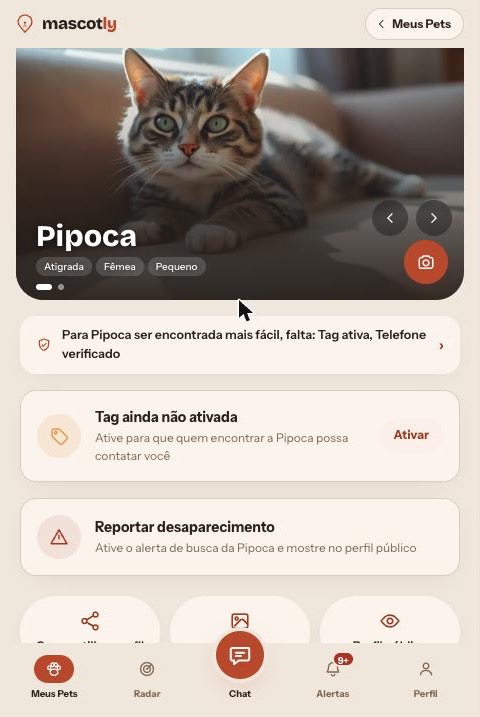
1. Open the form
- In the app, go to My Pets and tap your pet.
- Tap Report as missing.
2. Mark the spot on the map (required)
- At the top of the form, tap Choose on map.
- Move the map or drag the pin to the exact spot. If you are there, tap Use my position.
- Tap Confirm this spot. The button then reads “Spot chosen — tap to change”.
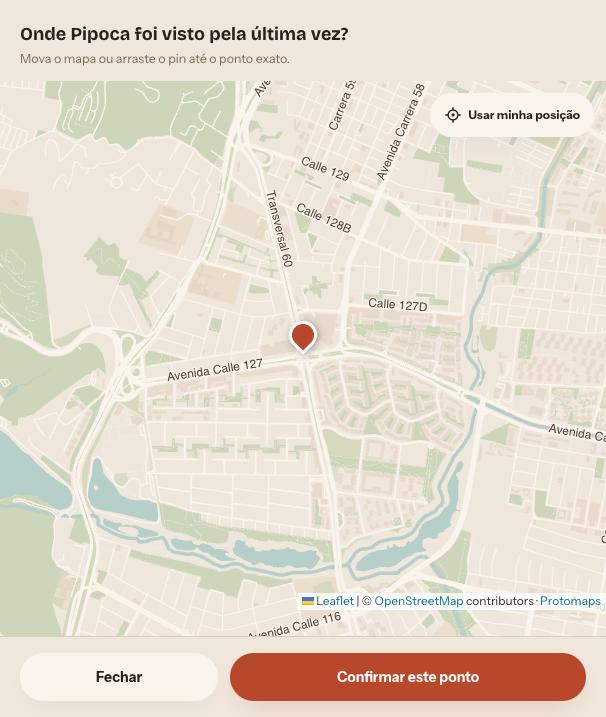
The alert can’t be activated without a map spot: it puts your pet on the Radar and notifies people nearby.
3. Location privacy
In the same box, check Show an approximate location to others if you don’t want to expose the exact spot (for example, near your home). Others see an area of about 300 m with no address. You still see the exact point.
4. Date, time and place reference
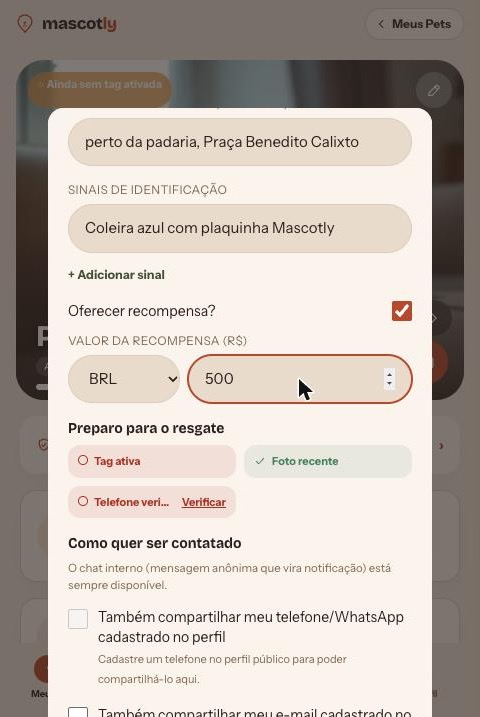
Under Date and time they went missing, enter when you last saw your pet (future dates are not accepted). Under Place reference (optional), write an address or landmark, like “near the bakery, Benedito Calixto Square”. It is just supporting text: the pin is what locates your pet on the map.
5. Your pet's features when they got lost
Under Identifying marks, write what helps recognize them today: collar, clothes, injury, behavior. Tap + Add a mark to add more than one.
6. Reward (optional)
Turn on Offer a reward?, pick the currency and enter the amount. It appears on the alert and the flyer.
7. How you want to be contacted
The in-app chat is always on: whoever finds your pet messages you without seeing your phone or email, and you get a notification. Optionally, also share your phone/WhatsApp, your email or the pet's vet clinic. The less you share, the more private; the more you share, the easier it is to reach you. Rescue readiness shows what helps: active tag, recent photo and verified phone.
8. Activate the alert
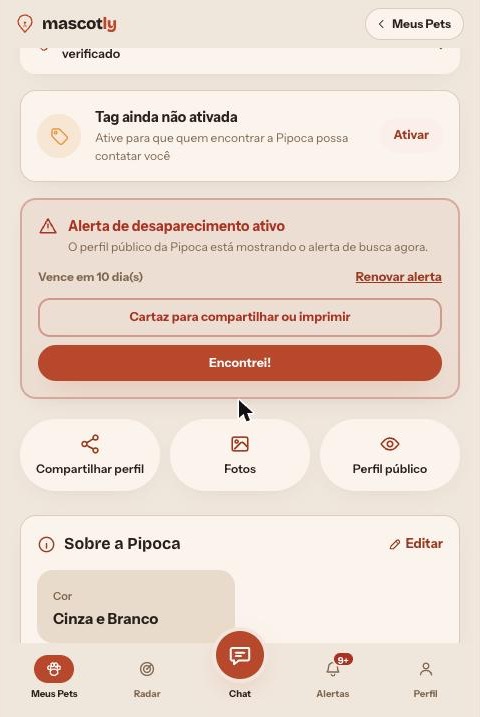
Tap Activate alert. The public profile shows the notice, your pet appears on the Radar and you can create a flyer to share or print. The alert lasts about 30 days and the app warns you before it expires, with a Renew button.
9. When found: “Found them!”
On your pet's screen tap Found! and tell us how (you found them, someone returned them, someone scanned the tag, or other; or tap Skip). The alert closes and people who were notified get the good news.